Online wedding invitation cards that open like the real thing
Your invitation is a small website that opens like a card from its envelope: your names, every function from haldi to reception, directions, a countdown and a reply. Send it on WhatsApp in English, Hindi or Tamil.
What is an online wedding invitation card?
An online wedding invitation card is an invitation your guests open on their phone instead of in their hands. On Shaadiwaale it is a link, not an image file: it opens with an animation, shows every function with its date, time and place, counts down to the day and lets each family reply.
When you send the link on WhatsApp, WhatsApp shows a picture of the card with your names and dates. Your guests need no app and no account.
Wedding e-invite designs, made to be opened
Each one opens in its own way. Your names, dates and functions fill it in, and you choose which parts to show.
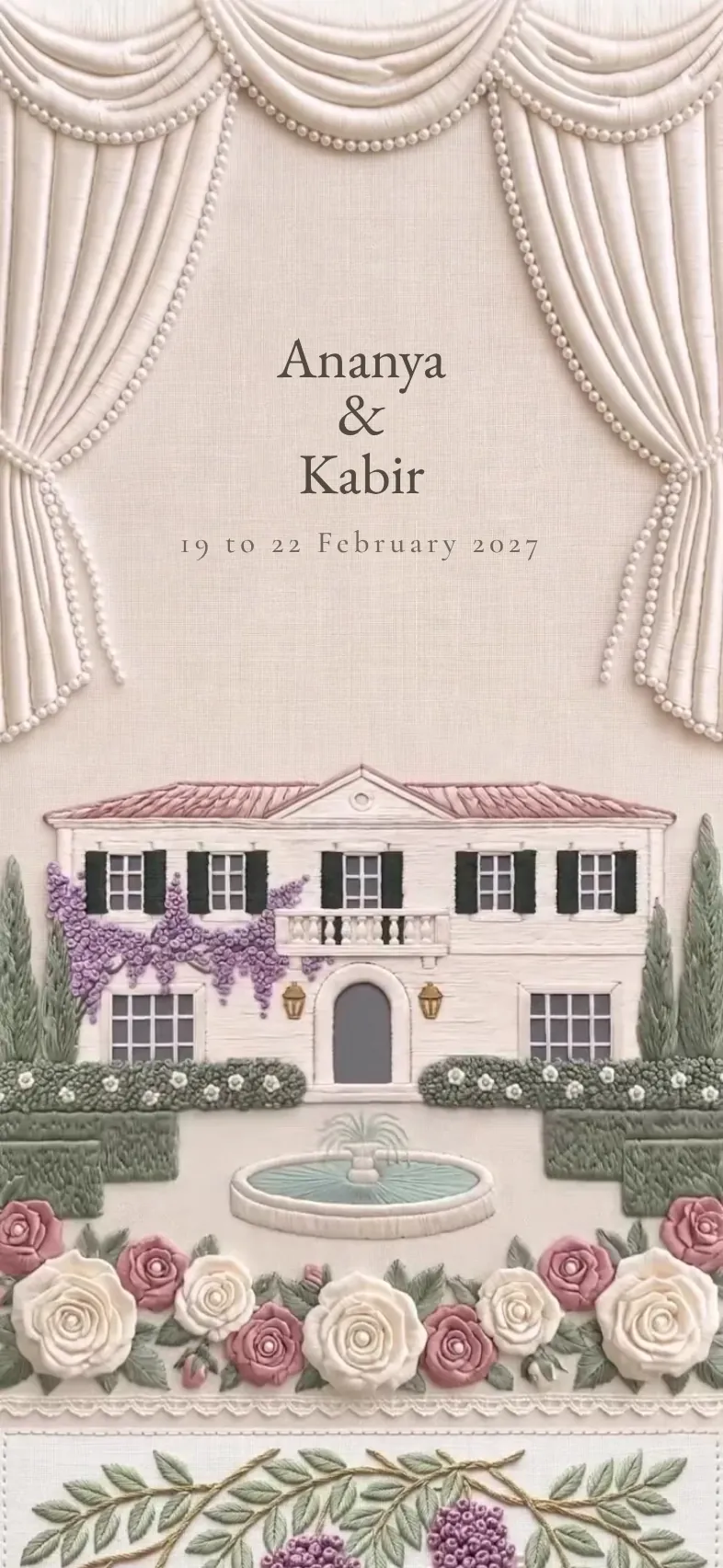 Royal
Château
Linen doors swing open on a château garden, and a curtain parts.
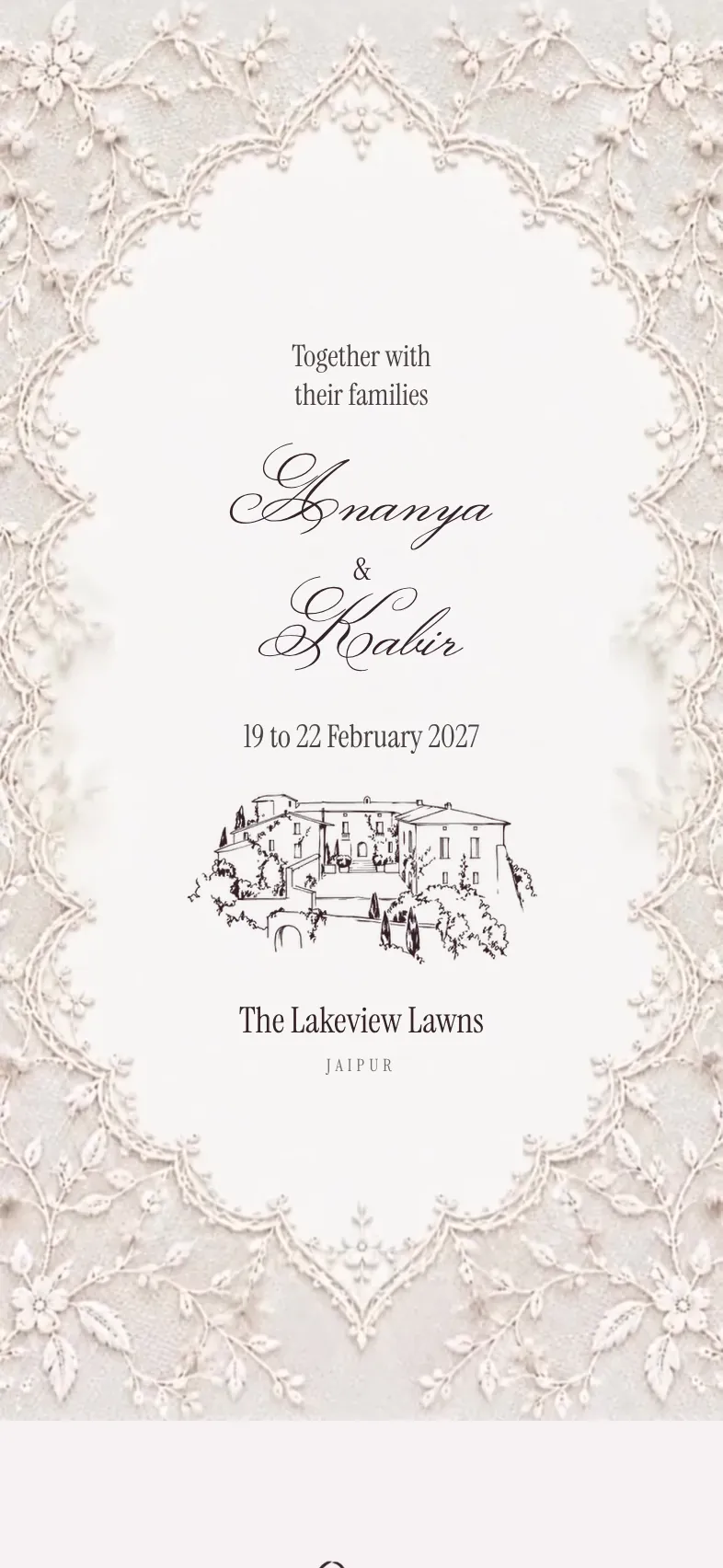 Elegant
Dentelle
A wax-sealed envelope opens onto ivory lace and burgundy ribbons.
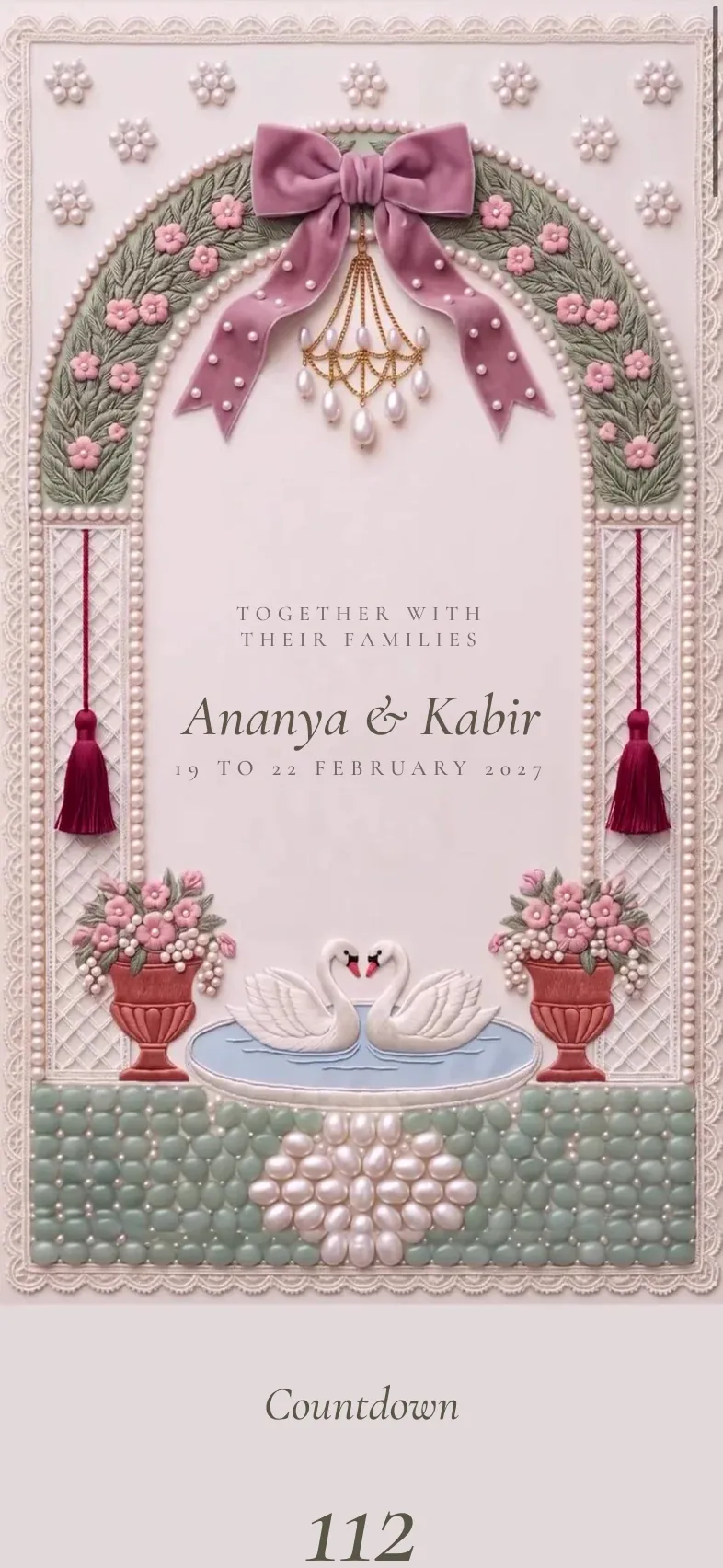 Floral
Roseraie
An embroidered rose arch, garden gates that open and a carriage.
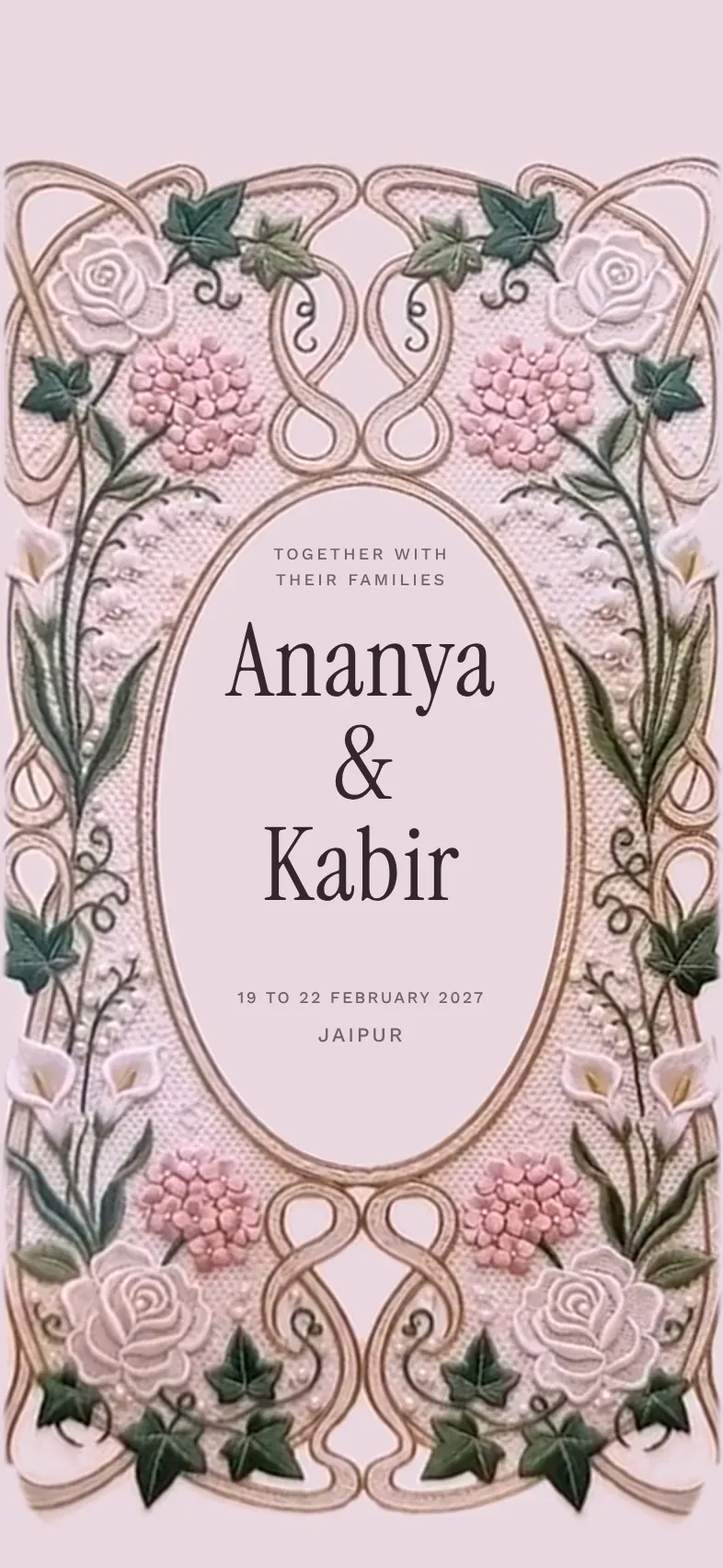 Unique
Giardino
Embroidered doors open onto an oval of roses in an Italian garden.
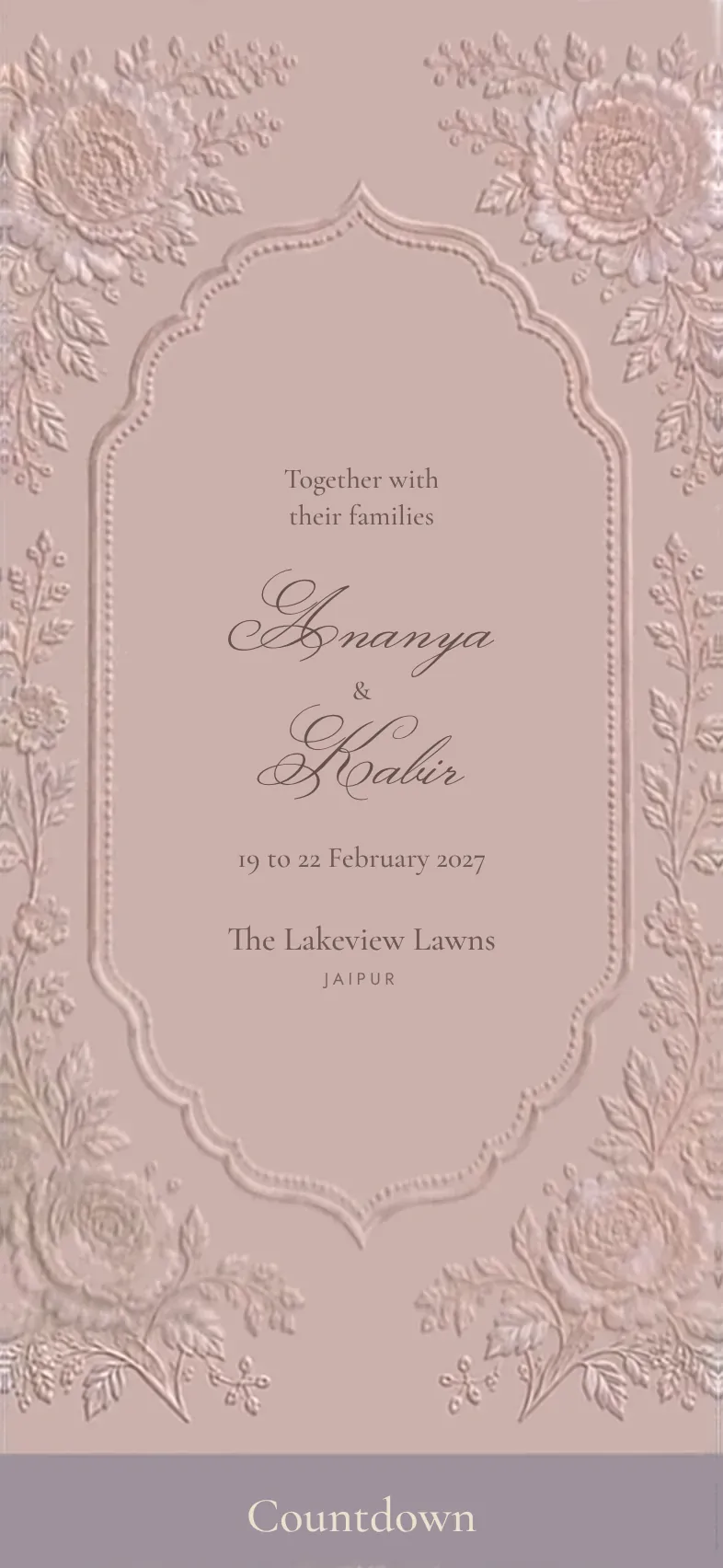 Luxury
Perla
Mother of pearl, a satin bow that comes undone and embossed curtains.
 Traditional
Blue Zardosi
A navy velvet curtain parts on gold zardosi, pearls and sapphires.
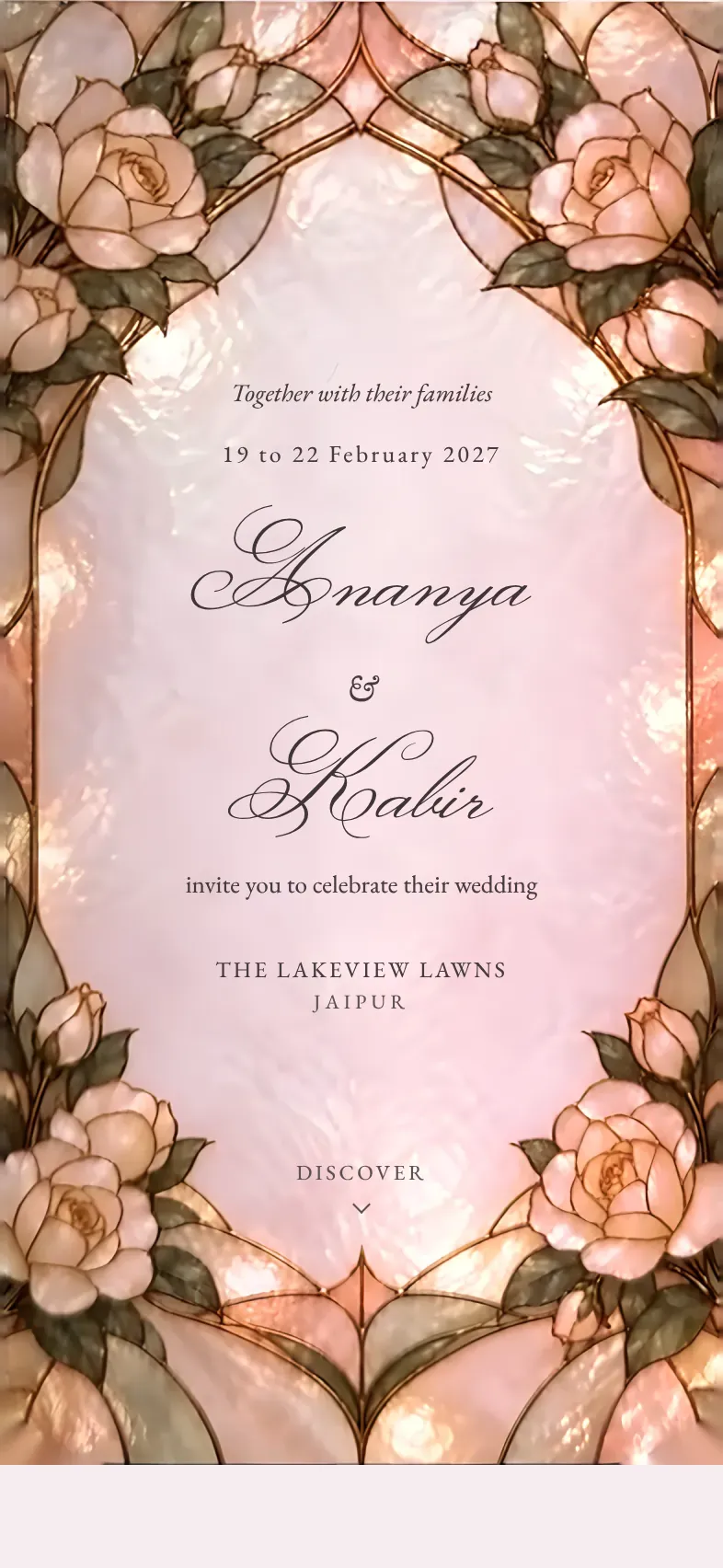 Pastel
Vitrail
Doors of frosted stained glass open on an arch of blush roses.
How to create your wedding invitation online
- 1
Add your details
Your names, your city and venue, and your functions with their dates. A rough date is enough to start.
- 2
Choose a design
Pick one of seven and a celebration effect: marigold petals, rose petals, jasmine, confetti and more.
- 3
Write it your way
Wording ideas in English, Hindi or Tamil, a blessing at the top, your story, and photos and a song if you like.
- 4
Share it
Open your link for ₹99, once, and send it on WhatsApp. Replies come in as families answer.
What your guests see
An opening to remember
Doors swing open, a curtain parts, an envelope unseals or a satin bow comes undone, then petals fall.
Every function
From haldi to reception, each with its date, time and place, and directions in Google Maps.
A countdown
The days, hours and minutes to your first function, ticking down as they read.
Their own invitation
A family's link greets them by name and shows only the functions they are invited to.
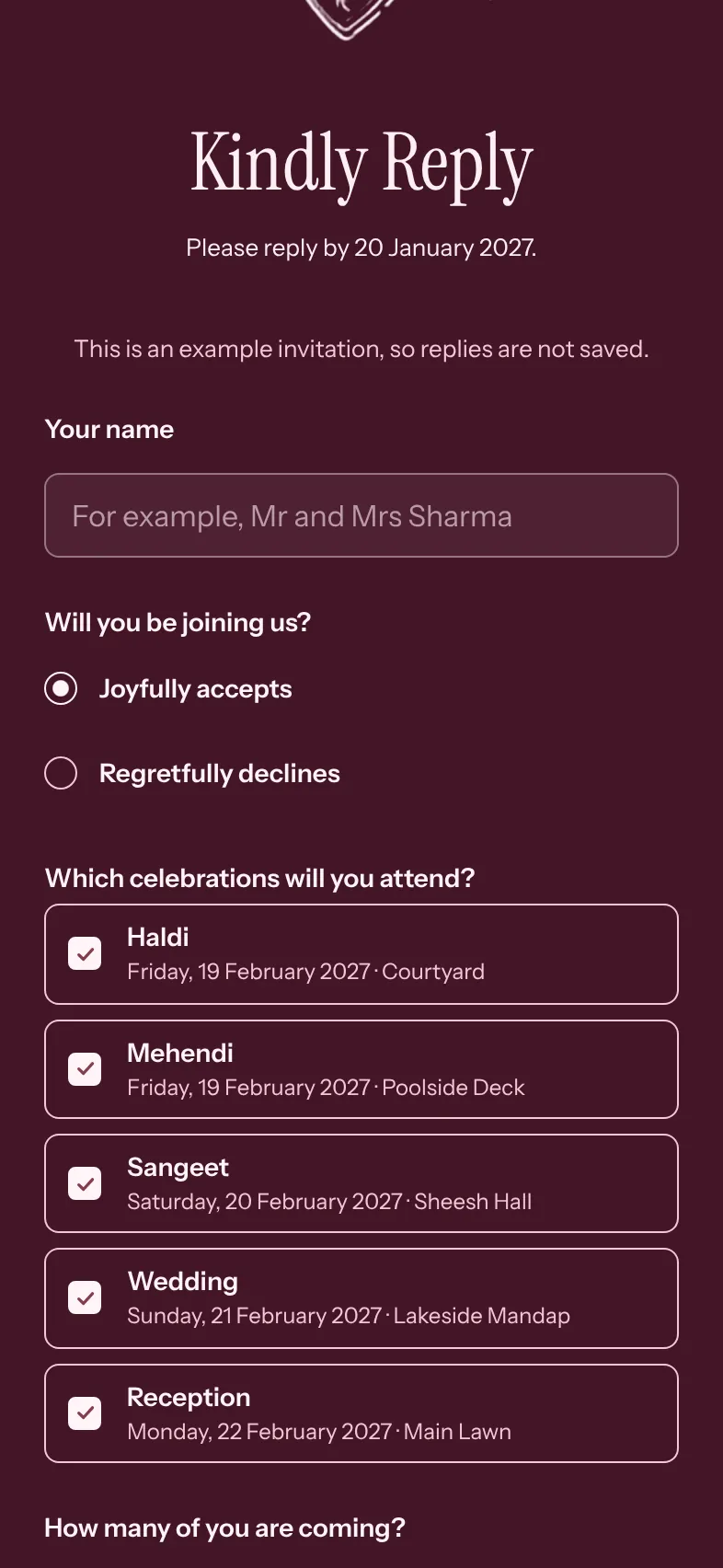
A reply in a few taps
Which functions, how many are coming and what they eat, plus up to three questions of your own.
Add to calendar
One tap puts the functions in their phone's calendar.
Your story, photos and a song
If you like: a few lines on how you met, your photos, and a song that starts when they open it.
In their language
Every word guests read in English, Hindi or Tamil, including the countdown and the reply form.
Send your wedding invitation on WhatsApp
Copy your link, or share it on WhatsApp straight from the studio. WhatsApp shows a picture of your card with your names and dates, so it looks like an invitation before anyone taps it.
To greet each family by name, turn on Integrate with planning and send each one its own link, one family at a time, from your own WhatsApp. Shaadiwaale never sends messages for you.

Printed card, PDF or online invitation
| What | Printed card | Image or PDF on WhatsApp | Shaadiwaale invitation |
|---|---|---|---|
| How guests get it | By hand or by post | Forwarded on WhatsApp | A link on WhatsApp, with a picture of the card |
| Replies | Calls and messages you keep track of | Messages you keep track of | On the invitation, straight into your guest list |
| After it is sent | A change means printing again | A change means a new file | Change any word; the same link shows it |
| Directions and dates | The address in print | The address in the picture | A map link and Add to calendar for each function |
| Cost | Printing for every card | Free, or a designer's fee | Free to design, ₹99 once |
Some families print a few cards for elders and send the link to everyone else. The two work well together.
Wedding invitations for every tradition
A blessing at the top, the functions your family keeps and wording in English, Hindi or Tamil.
Christian wedding invitations
The Cross at the top, the church service and the reception, a verse if you like.
Wording and designsHindu wedding invitations
Shri Ganeshaya Namah at the top, every function from haldi to the reception.
Wording and designsTamil wedding invitations
In Tamil or in English, with the muhurtham, the reception and the Kuthuvilakku.
Wording and designsMuslim wedding invitations
Bismillah at the top, the Nikah and the Walima with directions.
Wording and designs
What an online wedding invitation costs
Designing is free, and so is changing your mind. Opening your link costs ₹99, paid once through Razorpay with UPI, a card or net banking.
Logged in, your invitation is yours for life: edits, new words, pausing it and opening it again are free. Without an account, the link belongs to the browser you paid in; log in later to keep it for life.
Questions about online wedding invitations
Is it a card or a website?
Can we send it on WhatsApp?
Can guests reply?
Do guests need an app or an account?
Can we change it after sending?
Can we write it in Hindi or Tamil?
Can we send a save the date first?
What does it cost?
Do you print invitation cards?
Make yours in the studio
Start with your names and dates. The phone beside the studio shows your invitation as you type, and you pay only when you open the link.